User And Roles Management
Users and Roles module is where you can manage your users and roles. We will describe the Users and Roles modules in detail here in this section.
Users
Users can be managed from the Users module page.
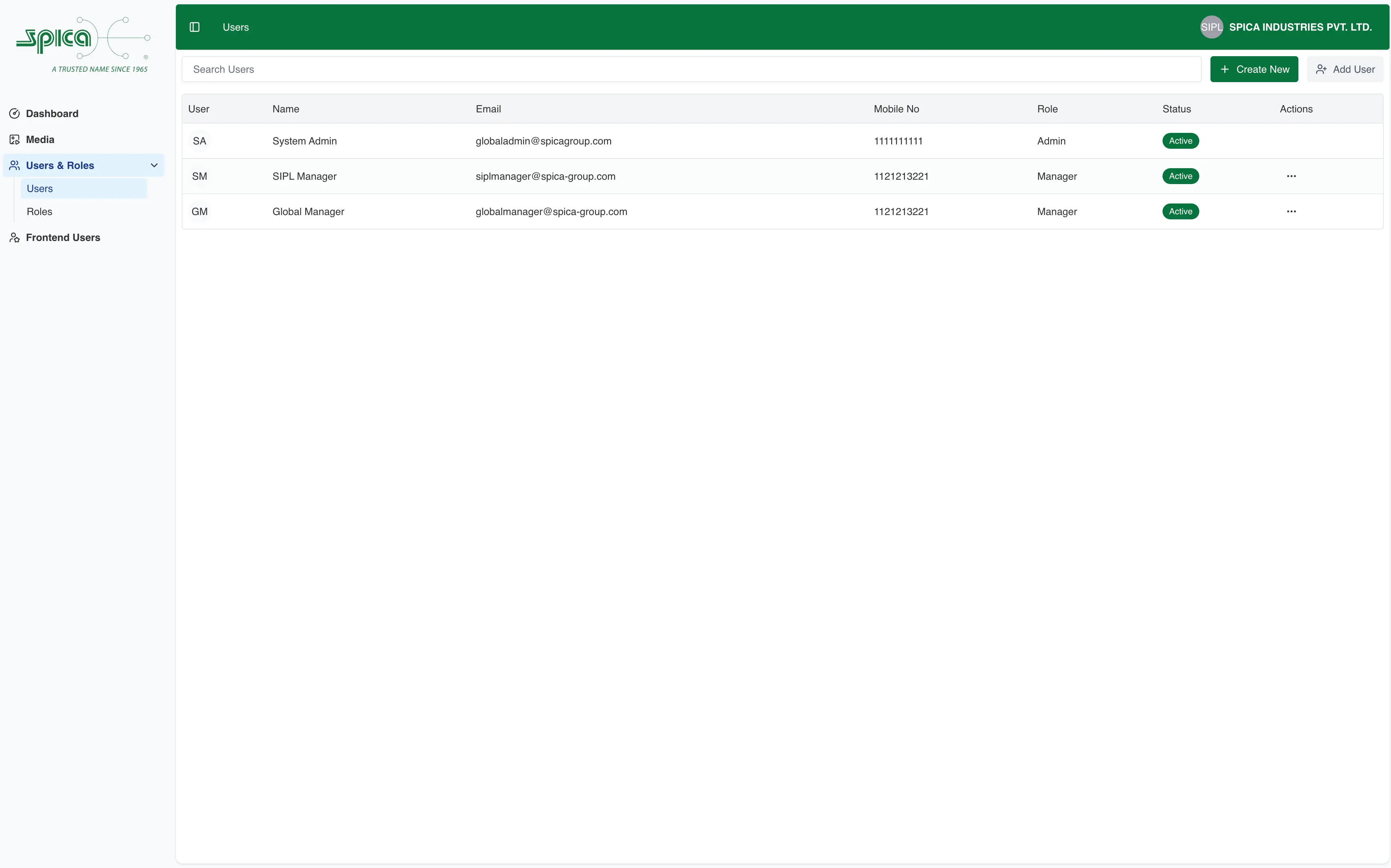
User Structure
User includes the below fields.
- First Name (Required)
- Last Name (Required)
- User Type (Required)
- Role (Required)
- Email (Required)
- Mobile No (Required)
- Password (Required, at least eight characters long and containing at least one special character and one number)
All the fields are required. Enter a 10-digit mobile number. Only numbers are allowed. Password should be at least eight characters long and contain at least one special character and one number.
Changing Users Password
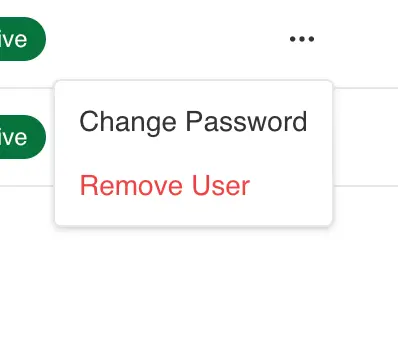
To change the password, select the Change Password option from the Actions kebab menu.
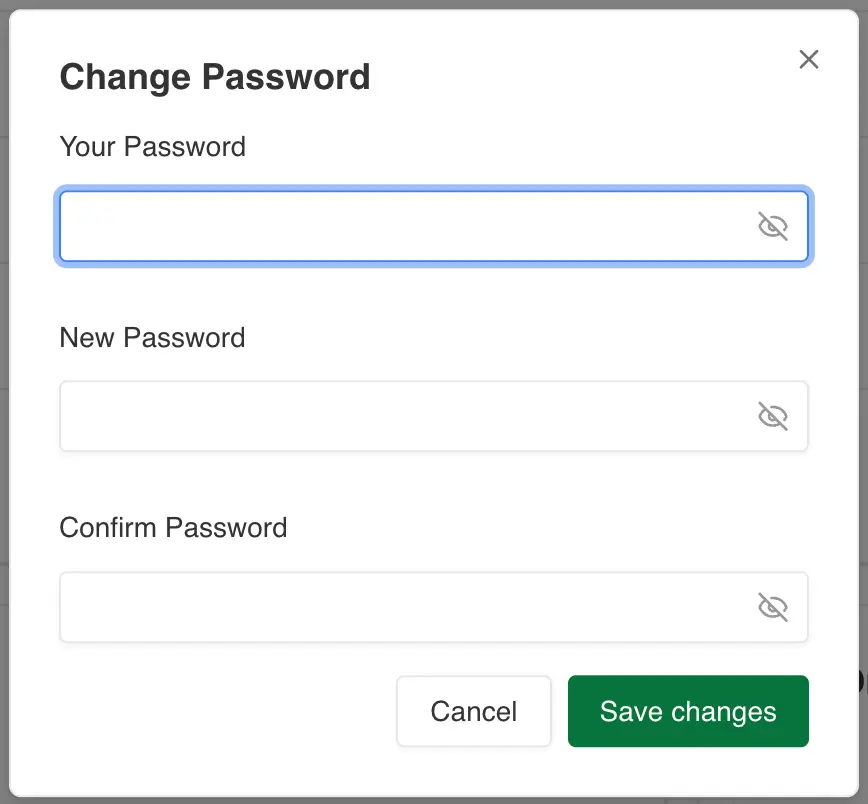
Enter the new password and click on the Save Changes button.
Roles
Roles can be managed from the Roles module page.
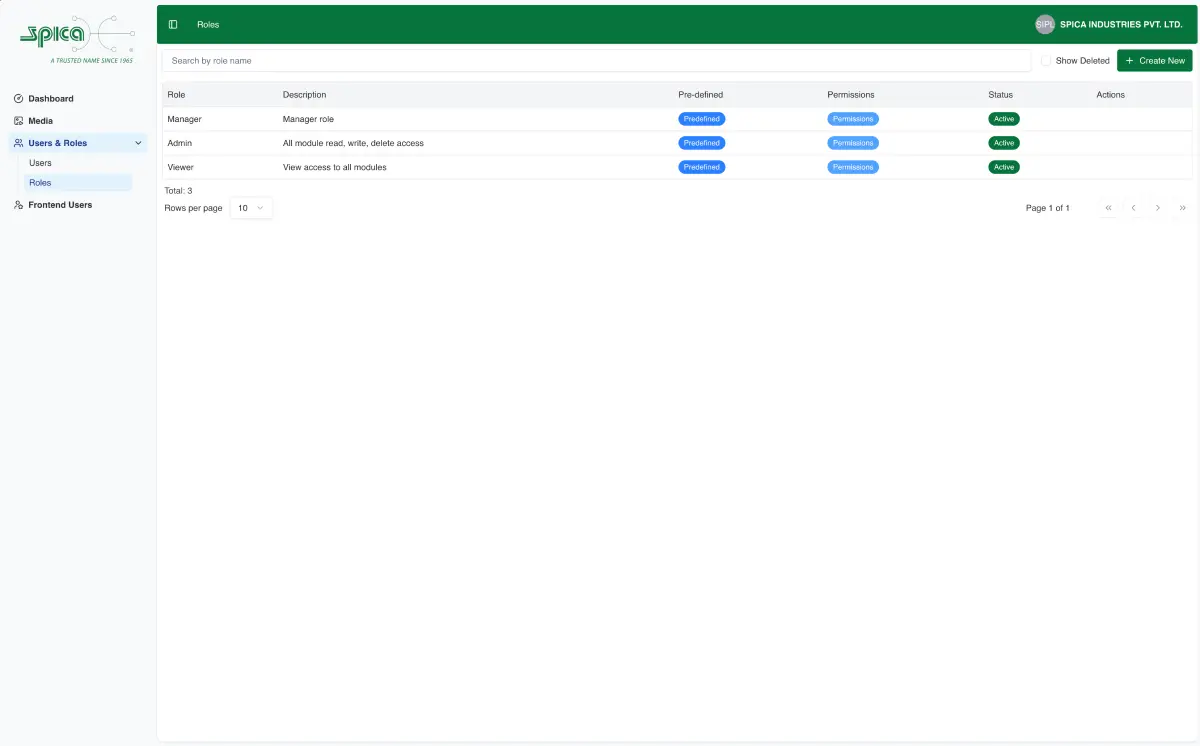
Role Structure
Role includes the below fields.
- Role Name (Required)
- Description
- Permissions (refer to the Permissions section below for more details on permissions)
Editing Role
You can use the role editor to edit a Role.
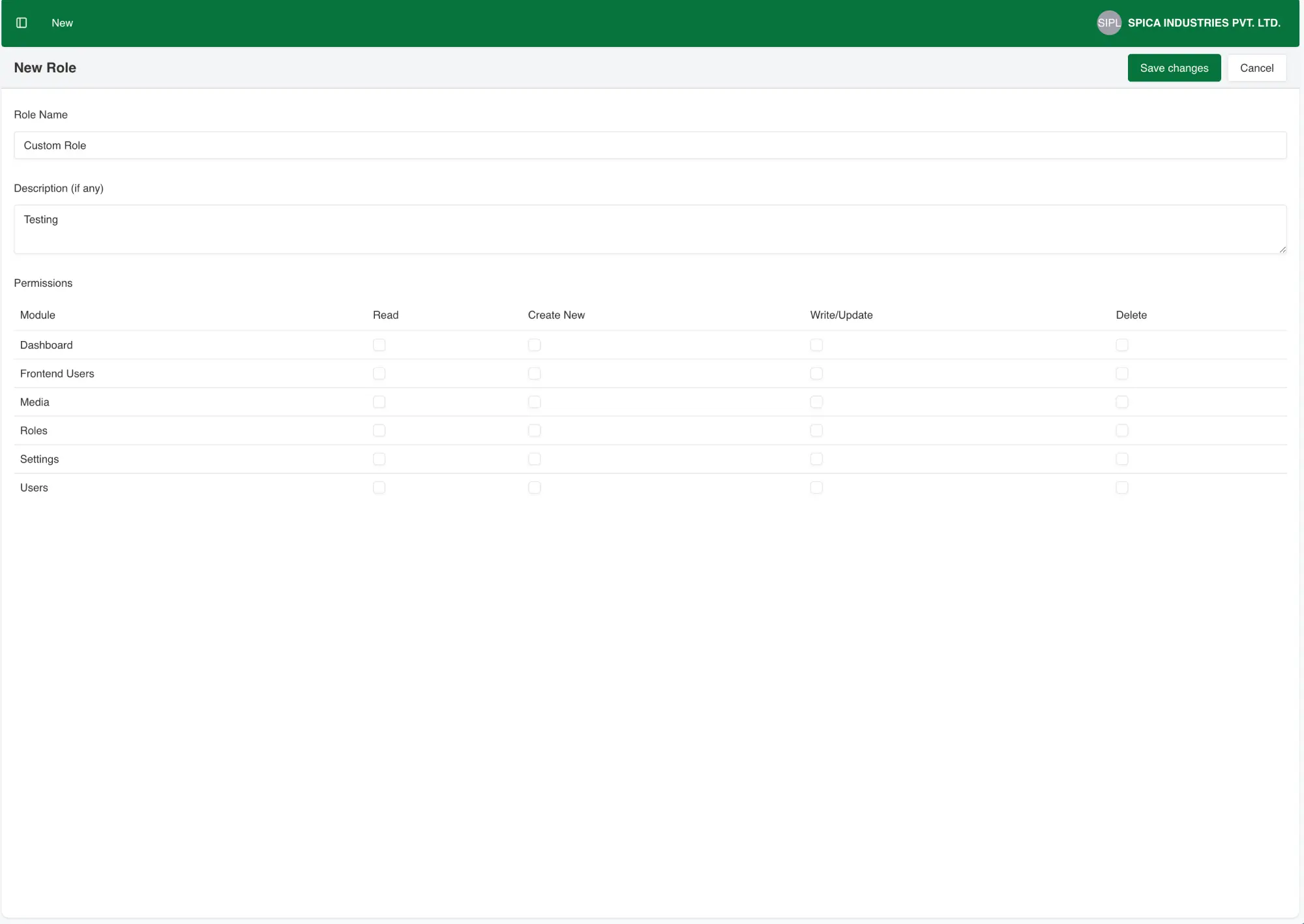
Using the editor, you can add a new Role, edit the existing Role.
Predefined Roles
Predefined roles are already available in the system and cannot be deleted or edited.
Note
Admin Role
Admin role has read, create, update and delete permissions for all the modules.
Manager
Manager role has read, create, update permissions for the Media Management module.
Viewer
Viewer has read access to Media and Frontend Users module.
Permissions Modules
Available permission modules are described in this section in detail you can assign Read, Create, Update and Delete for a particular module in Role Editor.
Media Permission Module
Media permission module grants access to Media Gallery where user can upload new media, edit existing
media, delete media, etc.
For more details, refer to the document.
Roles Permission Module
Roles permission module grants access to Roles data management like creating Roles,
editing existing Roles, deleting Roles, etc.
For more details, refer to the document.
Users Permission Module
Users permission module grants access to Users data management like creating Users,
adding existing users to the plant, removing users from the plant, etc.
For more details, refer to the document.
Frontend Users Permission Module
Frontend Users permission module grants access to Frontend Users data management like creating Frontend Users,
adding frontend user to plant, removing fronted users from the plant, etc.