Plant Selection / Multitenancy
The application is multitenant. and you can operate under one plant at a time. Selected plant is always visible in the top right corner or the top bar.

To change the plant, click on the plant name in the top bar and dropdown will appear with all the plants you have access to.
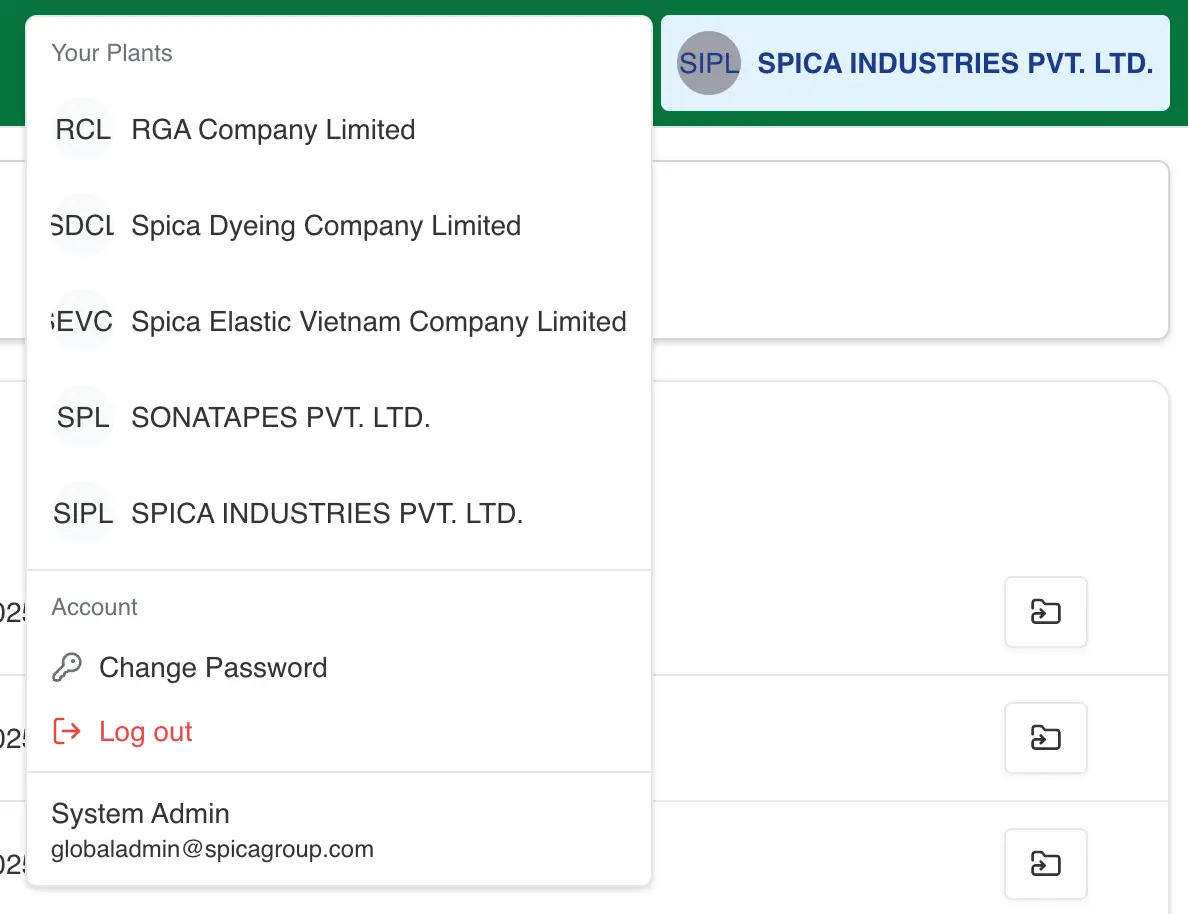
Once you select the plant, you will be redirected to the dashboard page of that plant, And now you are operating under that plant.
Operation Under The Selected Plant
All the operations you perform, like creating users, roles or adding frontend-users will be performed under the selected plant, i.e everything you create, update or delete will be visible only under that plant.